
Author Bio: Hello everyone! Main MD Mahboob, ek professional video editor, aap sabhi ka swagat karta hoon. Pichle 7 saalo se main is video editing industry mein naye trends aur techniques ko deeply explore kar raha hoon. Agar aap Instagram reels ya YouTube shorts par regular active hain, toh aapne mujhe mere YouTube channel “m4editorofficial” (jahan humari 13.6K subscribers ki ek strong community hai) ya Instagram page “m4_editor_official” (145K+ followers) par zaroor notice kiya hoga. Mera primary focus hamesha se yahi raha hai ki main apni audience ko real editing knowledge, trending effects aur practical guidance bilkul free mein provide karoon, taaki aap sabhi mere experience se seekh kar apni genuine editing skills develop kar sakein. Aaj main 2026 ke sabse highly-demanded aur viral editing topic par apna detailed experience share karne ja raha hoon.
The Ultimate Guide: Trending VN Template Code 2026 Se Viral Reels Kaise Banaye?
Video editing ki duniya har saal bohot tezi se badal rahi hai, aur 2026 mein content creation ka poora game speed aur aesthetic appeal par shift ho chuka hai. Aaj ke time par audience ka attention span bohot kam hai, isliye creators ko aisi videos chahiye jo pehle 3 seconds mein hi viewers ka dhyan kheench lein. Aise mein manually har ek beat ko sync karna aur transitions lagana bohot time-consuming process ban jata hai.
Yahi wajah hai ki aaj kal Trending VN Template Code 2026 ka craze apne peak par hai. Ye smart codes aapko ghanto ka manual editing work sirf kuch seconds mein complete karke dete hain. Agar aap ek beginner hain ya fir ek regular content creator jo daily reels upload karta hai, toh in templates ka sahi use karna aapke liye game-changer saabit ho sakta hai. Is article mein main aapko A to Z detail mein bataunga ki kaun se templates is saal trend kar rahe hain, unhe kaise use karna hai, aur sabse zaroori baat, unhe customise karke apna original touch kaise dena hai.
2026 Mein VN Template Codes Ka Itna Craze Kyun Hai?
Is saal Instagram aur YouTube ka algorithm un videos ko sabse zyada push kar raha hai jinki audio sync ekdum perfect hoti hai aur jisme high retention rate milta hai. Ek perfect beat-sync video manually banane mein ek professional editor ko bhi 30 se 40 minute lag sakte hain.
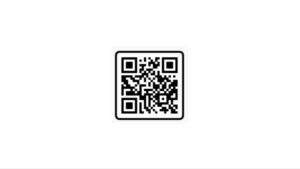
Lekin VN template codes ke through, us professional editor ka banaya hua poora project, uske sabhi cuts, transitions, aur colour grading data ek chote se QR code mein compress ho jata hai. Aapko bas us code ko scan karna hai aur apni media files ko replace karna hai. Ye method aapko 100% professional output deta hai bina kisi heavy technical knowledge ke.
Top Categories for Trending VN Template Code 2026
2026 mein kuch specific editing styles sabse zyada viral ho rahe hain. Agar aap apne content ke according sahi template choose karte hain, toh aapki reel ke viral hone ke chances bohot badh jaate hain. Yahan kuch top trending categories hain:
1. Fast Beat Sync & Flash Warning Templates
Ye templates aaj kal gaming montages, fashion transformations, aur travel recaps ke liye sabse zyada use ho rahe hain. Isme ek fast bass-boosted audio hoti hai jiske har beat par photo ya video clip change hoti hai, aur sath mein white flash effect aata hai.Detailed Explanation: In templates mein 5 se 10 seconds ke andar 15 se 20 clips use hoti hain. Ye rapid movement viewers ko video ko baar-baar dekhne par majboor karti hai, jisse aapka loop rate badhta hai.Beginner-Friendly Tip: In templates mein hamesha high-contrast aur bright photos ka use karein. Agar aapki photos dark hongi, toh flash warning effect sahi se pop-out nahi hoga aur video dull lagegi.
2. Cinematic & Dark Moody Aesthetics
Bikes, cars, gym workouts, aur sad poetry reels ke liye ye style 2026 mein sabse zyada demand mein hai. Isme slow-motion effects aur dark teal & orange colour grading pehle se set hote hain. Detailed Explanation: Is tarah ke VN codes mein editor ne pehle se hi speed curve (time remapping) set kiya hota hai, jisse aapki normal video apne aap ek smooth cinematic slow-mo mein convert ho jati hai.Beginner-Friendly Tip: Jab aap in templates ke liye apni video shoot karein, toh hamesha 60fps (frames per second) par record karein. Isse jab template aapki video ko slow karega, toh wo ruk-ruk kar (choppy) nahi chalegi, balki ekdum butter smooth dikhegi.
3. AI Generated Style 3D Zoom Transitions
Aaj kal AI ka trend hai, aur VN app ne bhi apne templates mein 3D zoom aur seamless transitions ko bohot advance kar diya hai.Detailed Explanation: Ye codes aapki flat 2D photos ko background se alag karke ek 3D illusion create karte hain, jisse lagta hai ki camera photo ke andar ja raha hai.Beginner-Friendly Tip: Is effect ko perfectly kaam karne ke liye hamesha wahi photos select karein jismein aapka subject (face ya body) bilkul centre mein ho aur background thoda clear ho. Crowded photos mein 3D effect fake lagta hai.
4. Lofi Aesthetic & Text-Based Edits
SCREENSHOT 👇
Lofi music aur deep quotes wali reels 2026 mein massive engagement gain kar rahi hain. In templates mein background blur hota hai, grain effect hota hai, aur centre mein aesthetic text animations hote hain. Detailed Explanation: Ye un logon ke liye best hai jo faceless channels run karte hain. Aapko bas apni nature ya city walk ki video lagani hoti hai, baaki retro film look VN code khud apply kar deta hai . Beginner-Friendly Tip: Template use karne ke baad default text ko zaroor change karein. Aap apne khud ke original quotes ya relatable shayari likhein, jisse log us reel ko save aur share karein.
Secret Strategy: Viral VN Codes Ko Sahi Tarike Se Kaise Find Karein?
SCREENSHOT👇
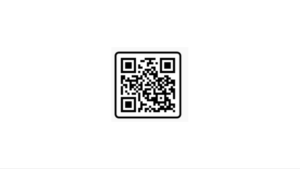
Bohot saare beginners ka sabse bada sawaal yahi hota hai ki unhe naye aur trending codes milenge kahan se. Agar aap purane 2024 ya 2025 ke codes use karenge, toh unke audio ab outdated ho chuke honge. Trending VN Template Code 2026 find karne ke liye aapko smart app
roach apnani hogi:
- Instagram Explore Page & Theme Pages: Instagram par bohot saare theme pages hain jo exclusively VN templates share karte hain. Un pages ko follow karein aur notifications on rakhein. Jaise hi koi naya code upload ho, uska turant screenshot le lein.
- Pinterest Search: Pinterest ek bohot bada search engine hai visual content ke liye. Wahan par “Latest VN QR Codes 2026” search karein, aapko high-quality aur properly categorised boards mil jayenge.
- YouTube Shorts Creators: Bohot se professional editors YouTube Shorts par apne projects ke QR codes share karte hain. Unke description box ya pinned comment se aap direct updated codes nikal sakte hain.
Step-by-Step Guide: 2026 Ke Latest VN Codes Ko Scan Aur Use Kaise Karein?

SCREENSHOT 👇
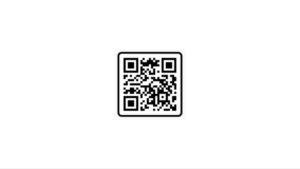
Agar aap pehli baar in codes ka use kar rahe hain, toh is simple workflow ko follow karein
- Sabse pehle internet se apne pasandida VN QR code ka screenshot apni phone gallery mein save kar lein.
- VN Video Editor app open karein. Home screen par top-right corner mein aapko ek Scanner (QR) ka icon dikhega, us par click karein.
- Camera khulne par upar gallery ke icon par tap karein aur apna save kiya hua screenshot select karein.
- VN app automatically us template ko fetch kar lega. Ab “Download” par click karein aur uske baad “Use Template” select karein.
- Neeche timeline mein diye gaye empty blocks mein apni pasand ki photos aur videos ko add karein. Hamesha vertical (9:16) format ka media hi use karein.
- Preview check karein aur export kar lein.
Bonus Tip: Apne VN Template Edit Ko 100% Original Kaise Dikhayein? (Pro Secret)
Bohot saare log ek hi trending template use karte hain, jisse content repetitive lagne lagta hai. Ek professional editor hone ke naate, main aapko ek aisi trick batata hoon jisse aapki video template se bani hone ke baavjood 100% original lagegi.
Jab aap template mein apni media files daal lein, toh directly export na karein. VN app mein “Filter” option par jayein aur wahan par available default template filter ko hata kar apna koi custom LUT ya colour grading filter apply karein. Iske alawa, aap timeline mein kisi ek photo ki jagah ek choti si video clip add kar dein jisme thoda motion ho. Ye ek minor sa change aapke poore video ka vibe badal dega. Aur jab aap ise Instagram par upload karein, toh template ki original audio ko mute karke Instagram library se wahi trending audio manually add karein. Isse Instagram algorithm ko lagta hai ki ye ek organic aur original edit hai, jisse aapki reel ki reach automatically boost ho jati hai.
Best Export Settings For 2026 VN Templates
SCREENSHOT👇
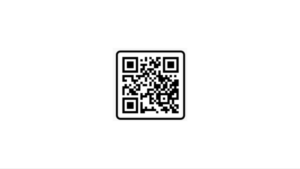
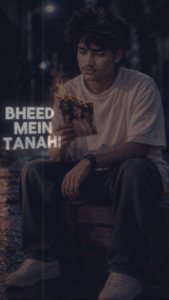
Aapne video kitni bhi achi kyu na banayi ho, agar export settings galat hain, toh upload hone ke baad video blur ho jayegi. 2026 mein social media platforms ke compression algorithms bohot strict ho gaye hain. Apni video ko high-quality aur crisp rakhne ke liye hamesha in settings par export karein:
- Resolution: 1080p (4K avoid karein agar aapki original photos 4K nahi hain).
- FPS (Frames Per Second): 60 FPS (Smooth transitions aur slow-mo ke liye).
- Bitrate: High ya default par set rakhein. Ye settings ensure karengi ki aapki reel upload hone ke baad pitegi nahi aur ekdum sharp dikhegi.
Conclusion
Doston, video editing ab pehle jaisi complex nahi rahi, khaaskar jab aapke paas Trending VN Template Code 2026 jaisi powerful tools available hain. Smart work hamesha hard work ko beat karta hai. In templates ka sahi istemaal karke aap apna keemti waqt bacha sakte hain aur us waqt ko apne content ki planning aur scripting mein laga sakte hain. Maine apne experience se aapko jo bhi practical tips aur customisation secrets bataye hain, unhe apni next video mein zaroor apply karke dekhein; aapko result khud nazar aayega. Editing ek continuous learning process hai, isliye naye codes try karte rahein aur apne skills ko upgrade karte rahein. Keep practising, keep creating, aur apne original style ko hamesha zinda rakhein
!