Hey creators! Main MD Maqsood hoon — professional video aur photo editor with 7+ years of hands-on industry experience. Editing community ke sath judna mera sabse bada passion raha hai; mere YouTube channel m4editorofficial par 13.6K+ subscribers aur Instagram page @m4_editor_official par 145K+ creators ki active family hai jahan main regular workflow break-downs share karta hoon. Is website ke zariye mera focus hai ki har naye aur aspiring editor ko bina kisi gatekeeping ke 100% authentic, tested aur practical editing tools ki knowledge bilkul free miley.
Android Ke Liye Best AI Photo Editor: Top Free & Premium Apps (Complete Guide)
Aaj ke smartphone era mein camera hardware se zyada power image processing algorithms aur artificial intelligence ke paas aa chuki hai. Chahe aapko background clean karna ho, skin texture ko natural DSLR sharpness deni ho, blur picture ko restore karna ho, ya text prompt se complete visual generate karna ho — mobile par photo editing ka pura landscape badal chuka hai. Ek time tha jab multi-layer masking aur frequency separation ke liye high-end PC ki zaroorat hoti thi, par aaj Android smartphone par ek single tap mein ye kaam possible hai.
Lekin Play Store par hazaron apps mein se Android ke liye best AI photo editor kaun sa hai? Kaun sa tool free mein kaam karta hai aur kis premium tool par paisa invest karna worth it hai? Is comprehensive review guide mein humne top AI photo editing apps aur web platforms ko unke features, usability aur pros ke hisab se test karke compile kiya hai.
1. Adobe Lightroom Mobile (AI Masking & Lens Blur)
Adobe Lightroom Mobile creators ke liye industry standard bana hua hai. Iske AI-driven masking tools aur automatic subject detection mobile editing ko desktop-level control provide karte hain.
- Platform Type: Freemium (Free basic controls, Premium AI Masking).
- Best AI Features: Adaptive Presets, AI Subject & Sky Masking, Generative Remove (Firefly powered), aur Optical Lens Blur.
- Kaise Use Karein (Workflow):
- Image import karein aur Masking tab par click karein.
- Select Subject ya Select Sky choose karein; AI automatically accurate edge mask draw kar dega.
- Sirf subject par exposure boost karein ya sky ka colour grading alag se tweak karein.
- Top Advantages:
- Raw DNG image support without quality loss.
- Non-destructive editing workflow.
- Natural skin tone preservation without plastic smoothing.
2. Remini AI Photo Enhancer
Low-resolution, shaky ya purani blurry photos ko crystal-clear detail mein convert karne ke liye Remini sabse trusted utility hai
- .Platform Type: Freemium (Daily free credits with ads, Pro Subscription).
- Best AI Features: Face Reconstruction, HD Upscaling, AI Portrait Generator, aur Background De-noise.
- Kaise Use Karein (Workflow):
- App open karke apni low-resolution photo select karein.
- Enhance button par tap karein aur processing complete hone dein.
- Before/After slider se detail check karein aur image save karein.
- Top Advantages:
- Aankhon aur baalon ki detailing ko naturally reconstruct karta hai.
- One-tap automatic processing without complex sliders.
- Old vintage photos restoration ke liye best results.
3. PicsArt AI Photo & Video Editor
PicsArt ek complete all-in-one graphic design aur AI photo generator suite hai jo social media creators, banner designers aur thumbnail makers ke liye perfect hai
- Platform Type: Freemium (Generous free features, Gold Subscription).
- Best AI Features: AI Background Generator, AI Object Replacement (Inpaint), AI Expand, aur Style Transfer.
- Kaise Use Karein (Workflow):
- Photo import karein aur AI Tools section open karein.
- AI Replace select karein, brush se kapde ya object highlight karein aur prompt type karein (e.g., “leather jacket”).
- AI us texture ko lighting ke sath merge kar dega.
- Top Advantages:
- Custom prompt-based editing capabilities.
- Huge sticker library and font overlays.
- Direct canvas ratio crop for Instagram, YouTube, and Pinterest.
4. Google Photos (Magic Editor & Magic Eraser)
Google ke native AI tools stock Android aur Pixel devices ke sath-sath ab har modern Android phone par Google Photos app ke zariye accessible hain
- Platform Type: Free (Monthly quota for all users, Unlimited with Google One).
- Best AI Features: Magic Eraser (Photobomb cleaner), Magic Editor (Relight & Reposition), Unblur, aur Sky Suggestions.
- Kaise Use Karein (Workflow):
- Google Photos mein photo open karke Edit par tap karein.
- Magic Eraser choose karein aur unwanted background logo ko circle karein.
- AI surrounding texture ko context-aware filling se clean kar dega.
- Top Advantages:
- Zero ad clutter aur clean, minimalist user interface.
- Clean shadows and texture blending without blur patches.
- Direct cloud backup synchronisation.
5. Photoleap by Lightricks
Creative photo manipulation aur surreal generative art ke liye Photoleap Android par ek powerful contender hai
- Platform Type: Freemium (Free trial available, Pro plan).
- Best AI Features: Text-to-Image Generation, AI Background Extender, AI Headshots, aur Double Exposure presets.
- Kaise Use Karein (Workflow):
- Canvas par photo add karein aur AI Extender select karein.
- Image ke borders ko drag karein taaki AI extra landscape canvas build kar sake.
- Generate tap karein aur best variation pick karein.
- Top Advantages:
- Creative visual artists ke liye layers-based structure.
- High-resolution exports without aggressive watermarks on supported tiers.
- Natural generative expansion for landscape shots.
6. Snapseed
Google-owned Snapseed traditional photography enthusiasts ke liye bina kisi ads ke sabse powerful offline tool hai. Halanki ye pure prompt-generator nahi hai, par iska algorithmic engine clean editing deta hai
- Platform Type: 100% Free (No subscriptions, No ads).
- Best AI Features: Selective Tool (Control Point technology), Healing Tool, Head Pose adjustment, aur Curves.
- Kaise Use Karein (Workflow):
- Photo import karke Tools menu mein Selective choose karein.
- Specific skin area par tap karein aur pinch gesture se radius adjust karein.
- Sirf chosen area ka Brightness, Contrast aur Saturation balance karein.
- Top Advantages:
- Complete privacy — works 100% offline without uploading images to cloud servers.
- Full feature access without hidden paywalls.
- Supports high-resolution RAW exports.
7. Canva Mobile AI Studio
Agar aapko YouTube thumbnails, business graphics ya social media posters create karne hain, to Canva ka Magic Studio Android par unmatched value deta hai
- Platform Type: Freemium (Free base plan, Canva Pro).
- Best AI Features: Magic Grab (Subject isolate karna), Magic Edit (Prompt replace), Background Remover, aur Magic Expand.
- Kaise Use Karein (Workflow):
- Graphic template choose karein aur apni image import karein.
- Effects mein jakar Magic Grab tap karein.
- Subject background se alag ho jayega, jiske peeche aap text layers add kar sakte hain.
- Top Advantages:
- Graphic elements, shapes aur custom Urdu/Hindi fonts ka direct access.
- Seamless team collaboration and cross-device sync.
- Pre-set dimensions for every social platform.
8. Epik – AI Photo & Video Editor
Aesthetic portraits, vintage grain looks, aur trending social media templates ke liye Epik content creators ka favourite mobile editor hai
- .Platform Type: Freemium (Free features available, Pro templates).
- Best AI Features: AI Skin Retouch, AI Hair Styling, Relight tool, aur Background Blur depth map.
- Kaise Use Karein (Workflow):
- Portrait photo import karein aur Portrait tab select karein.
- Relight tool se studio light ka angle aur warmth customise karein.
- Skin texture ko smooth karte waqt natural pores ko lock rakhein.
- Top Advantages:
- Aesthetic colour presets aur film tone filters.
- Precise body and facial feature alignment tools.
- Fast rendering on mid-range Android devices.
9. Hypic – Photo Editor & AI Art
ByteDance (CapCut creators) dwara developed Hypic ek clean aur aesthetic photo editing tool hai jo realistic face retouching mein excel karta hai
- Platform Type: Freemium (Free with in-app upgrades).
- Best AI Features: AI Portrait Glow, Instant Cutout, HD Quality Restoration, aur Colour Balancing.
- Kaise Use Karein (Workflow):
- Image load karke Retouch tool select karein.
- Natural Glow aur Tone Correction toggle enable karein.
- AI lighting ko automatically golden hour shade mein match kar dega.
- Top Advantages:
- CapCut ecosystem ke sath smooth integration.
- Modern, clean UI without distracting pop-ups.
- Natural facial skin correction without artificial makeup look.
10. PhotoRoom AI Background Studio
E-commerce sellers, product photographers aur profile picture creators ke liye PhotoRoom background removal aur studio environment setup ka sabse fast app hai
- Platform Type: Freemium (Free basic export, Pro resolution).
- Best AI Features: Automatic Studio Lighting, Instant Product Backgrounds, Batch Mode, aur Shadow Generation.
- Kaise Use Karein (Workflow):
- Product ya portrait photo capture karein ya upload karein.
- App 2 seconds mein background cut-out create kar dega.
- AI Background option se marble table, luxury studio, ya outdoor sunlight environment select karein.
- Top Advantages:
- Perfect realistic drop shadows generate karta hai jo product ko float nahi hone deta.
- E-commerce platforms (Amazon, Flipkart, Shopify) ke ready templates.
- Super fast batch editing workflow.
11. Clipdrop by Jasper (Web & Mobile Tool)

prompt👇
Use the uploaded couple reference photos ONLY for exact facial identity. Preserve both faces accurately — facial structure, eyes, eyebrows, nose, lips, jawline, skin tone, hairstyle, beard/moustache, natural asymmetry and proportions. STRICT FACE & IDENTITY LOCK — no face beautification, reshaping or AI-looking facial changes. Create a premium, ultra-realistic romantic pre-wedding poster with a sophisticated double-exposure cinematic composition.9:16
Advanced stability AI models par based Clipdrop web aur mobile dono jagah ultra-clean generative editing aur relighting tools provide karta hai
- .Platform Type: Freemium (Free web tier, Pro subscription).
- Best AI Features: Relight (3D virtual light positioning), Cleanup (Object removal), Image Upscaler, aur Uncrop.
- Kaise Use Karein (Workflow):
- Clipdrop tool mein Relight open karein aur photo upload karein.
- Virtual lights (Red, Blue, Warm Yellow) ko canvas par drag karein.
- Subject ke face aur body par exact real-time 3D lighting bounce hogi.
- Top Advantages:
- 3D spatial light calculation jo kisi standard filter mein possible nahi hai.
- Fast cloud-processing without phone heating issues.
- High dynamic range rendering.
12. Fotor Photo Editor

prompt👇
portrait of the man’s upper body wearing blue and white knit sweater that says “HM”. In the foreground, one full-body clones of the same man standing and crouching on a wooden pier over a bright blue ocean. Splashing water droplets, flying seagulls, a vintage street lamp, bright sunny sky, high-resolution photo manipulation style. HM editing text neon logo design M4______editor
Fotor ek versatile AI editor hai jo web browser aur Android application dono platforms par consistent editing tools provide karta hai
- Platform Type: Freemium (Free daily credits, Pro upgrade).
- Best AI Features: 1-Tap Enhance, AI Background Eraser, Generative Fill, aur AI Art Effect.
- Kaise Use Karein (Workflow):
- Photo import karke 1-Tap Enhance click karein.
- AI contrast, shadows aur highlights ko automatically calibrate karega.
- Additional details ke liye HDR Effect subtle scale par add karein.
- Top Advantages:
- Clean cloud storage integration.
- Beginner-friendly layout with minimal learning curve.
- Reliable text removal tools for watermarks and logos.
Bonus Tip: Dual-App Workflow for Ultra-Realistic Output

prompt👇
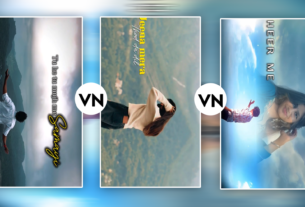
Create a cinematic ultra-realistic 3-layer Al photo editing poster from my uploaded single photo. Keep my face, hairstyle, skin tone, beard, clothes, and overall appearance exactly same as the uploaded image. cinematic feel. Add smooth white torn-paper style Design a trendy 3 vertical layer composition with three different poses and expressions generated from the same face. 9:16
Ek single app par 100% depend rehne ke
- bajaye Dual-App Pro Workflow ka use karein:
- Pehle photo ka background ya unwanted objects Google Photos Magic Eraser ya PhotoRoom se clean karein.
- Us clean output ko Adobe Lightroom Mobile mein import karein.
- Lightroom ke Colour Grading panel mein Shadows mein subtle Cyan-Teal aur Highlights mein soft Orange-Gold add karein.
- End mein Clarity (+6) aur Texture (+4) adjust karein.
- Is do-step workflow se aapki mobile photos mein artificial AI look nahi aayega, balki wo authentic DSLR raw image ki tarah natural aur dynamic dikhegi.
Conclusion
Android ke liye best AI photo editor ka selection aapki specific zaroorat par depend karta hai: professional colour grading aur natural detail ke liye Lightroom Mobile, low-quality restoration ke liye Remini, clean object removal ke liye Google Photos, aur studio product photography ke liye PhotoRoom sabse powerful options hain. In tools ko smartly combine karein aur apni regular editing skills ko next level par le jayein
.