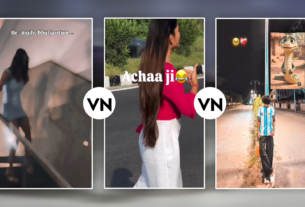
MD Mahboob ek seasoned video editor aur digital content creator hain, jinke paas post-production industry mein 7+ years ka practical experience hai. Vo YouTube par apne educational channel “m4editorofficial” (13.6K+ subscribers) aur Instagram par “m4_editor_official” (145K+ creators community) ke zariye genuine video editing workflows share karte hain. Unka mission aspiring editors ko complex editing tools bina kisi confusion ke master karwana aur real-world editing techniques bilkul practical tareeqe se sikhana hai.
VN Me Trending Templates Kaise Find Kare: 2026 Ka Complete Step-by-Step Guide
Reels, Shorts ya TikTok par scroll karte waqt aapne aise cinematic, fast-cut beat transitions dekhe honge jo dekhte hi viral ho jaate hain. Pehle aise transitions banane ke liye ghanton ki keyframing, beat matching aur layer masking karni padti thi. Aaj wahi kaam VN Video Editor ke pre-built templates ke zariye sirf ek single click mein poora ho jaata hai.
Lekin real problem editing nahi hai—real problem hai fresh aur viral templates dhoondhna.
Aksar creators wahi purane templates use karte hain jo already saturate ho chuke hote hain. Agar aapko algorithm par standout karna hai, toh aapko aane wale trends ko pehle pakadna hoga. Is comprehensive guide mein hum detail mein discuss karenge ki VN mein trending templates kaise find karein, unhe correctly kaise import karein, aur bina quality lose kiye customised viral videos kaise export karein.
1. VN App Ke In-Built Discover Feed Ka Smart Use
Bohat se users direct editor timeline open karte hain aur app ke native ecosystem ko completely ignore kar dete hain. VN Editor ne content creators ke liye apna khud ka community architecture banaya hua hai.
In-App Discover Tab Ko Navigate Karna
Jab aap VN open karte hain, bottom navigation bar par “Discover” ya “Explore” section visible hota hai. Yeh tab basically verified creators aur high-ranking editors ka live repository hai:
Template Ranking Categories: Yahan algorithms daily aur weekly basis par top-performing assets ko rank karte hain.
Filter by Theme: Aap specific categories choose kar sakte hain jaise Aesthetic, Beat-Sync, Cinematic, Vlog, Travel, aur Minimal Typography.
Direct Preview Feature: Kisi bhi template par tap karke aap audio sync aur speed curves ka real-time visual assessment kar sakte hain bina download kiye
- .
- Template Ranking Categories: Yahan algorithms daily aur weekly basis par top-performing assets ko rank karte hain.
- Filter by Theme: Aap specific categories choose kar sakte hain jaise Aesthetic, Beat-Sync, Cinematic, Vlog, Travel, aur Minimal Typography.
- Direct Preview Feature: Kisi bhi template par tap karke aap audio sync aur speed curves ka real-time visual assessment kar sakte hain bina download kiye.
Pro Workflow Tip: Har Monday morning Discover tab check karein. Global platforms par audio trends weekend par spike karte hain, aur unke corresponding templates Monday ko Discover section mein top rank par update hote hain.
2. VN QR Codes: Trending Templates Ka Sabse Fast Source
VN Video Editor ka sabse powerful feature uska proprietary QR Code System hai. Agar aapko koi transition pasand aata hai, toh aapko manually project file share karne ki zaroorat nahi hoti; ek chhota sa visual code poore project code ko hold karta hai.
Iska workflow bilkul simple hota hai: QR Code Scan karein -> Assets & FX auto-download honge -> Apni clips replace karein -> Video export ke liye ready.
QR Codes Kahan Se Collect Karein?
- Pinterest Visual Search: Pinterest par simply search karein “VN QR Code Trending”. Pinboard community roz hazaron high-retention QR codes pin karti hai.
- Dedicated Telegram Creator Channels: Telegram groups video editors ka goldmine hain. Yahan creators direct clean zip files aur sharp QR codes drop karte hain jisme unlicensed, copyright-free audio already embedded hota hai.
- Instagram Creator Carousel Posts: Kai dedicated editing accounts carousels share karte hain jahan last slide par direct scan-ready QR code hota hai.
VN Scanner Se Direct Import Ka Process
- VN open karke top-right corner par “Scan / QR Code Icon” par click karein.
- Camera view aane par live scan karein ya gallery se screenshot select karein.
- App automatically code decrypt karega aur “Download Project” ka prompt dega.
- Ek baar download hote hi aapka system direct clip replacement window open kar dega.
3. Instagram Reels Ke Audio Sync Se Trending Templates Track Karna
Instagram Reels ka ecosystem 80% video trends ko drive karta hai. Jab koi specific sound popular hota hai, toh uske sath sync hone wala transition format automatically trend ban jaata hai.
Trend Spotting Workflow
- Trending Arrow Check Karein: Reel scroll karte waqt bottom-left corner par audio name ke aage Upward Arrow (↗) monitor karein. Yeh indicate karta hai ki audio velocity high hai.
- Caption & Audio Tag Analysis: Viral clips ke captions mein creators aksar mention karte hain: “Template link in bio” ya “VN Code #12”.
- Creator Profile Bookmarks: Aise accounts ko follow karein jo daily transition breakdowns upload karte hain. Unke bio mein Linktree ya Google Drive folders hote hain jahan direct VN code hosted hota hai.
4. YouTube Community Aur Shorts Se Direct Project Links Extract Karna
YouTube Shorts aur dedicated long-form tutorials trending editing assets ka official hub ban chuke hain.
Accurate Templates Search Karne Ka Method
YouTube search bar mein generic terms likhne ke bajaye long-tail queries use karein, jaise:
- New trending VN template QR code 2026″
- “Beat sync velocity VN project file link”
- “Aesthetic cinematic reel VN template download”
Video Descriptions Aur Pinned Comments
Experienced editors Google Drive, Mediafire ya direct VN universal links pinned comments mein provide karte hain. Universal link par click karte hi browser redirect hokar sidha aapke phone ke VN application mein project auto-load kar deta hai.
5. Web Portals Aur External Creative Archives
Agar aap bulk production karte hain aur roz 3-4 videos deliver karni hoti hain, toh social media scroll karna time-consuming ho sakta hai. Iske liye external asset databases best rehte hain.
- Dedicated Editing Resource Blogs: Online kaafi clean asset websites hain jo month-wise collections curate karti hain (e.g., Top 10 VN Transitions for Urban Edits).
- Creative Resource Forums: Reddit par r/VideoEditing aur mobile cinematography threads par creators raw XML data aur VN asset identifiers distribute karte hain.
Step-by-Step: Kisi Bhi Template Ko Professional Look Kaise Dein
Aksar beginners template lagate hain aur unki video generic lagti hai. Template sirf ek framework hai—real quality aapke replacement selection par depend karti hai
Step Number
Action
Dhyan Dene Wali Baat
Step 1
Template Import
Correct aspect ratio (9:16 vertical) verify karein.
Step 2
Clip Sequence Matching
Template ke beat drops par matching visual energy (high action ya stable shot) select karein.
Step 3
Focal Length Variety
Saare wide shots mat daalein; Wide, Medium, aur Macro close-ups mix karein.
Step 4
Safe Zone Verification
Text ya UI elements Instagram ke bottom captions aur side buttons ke peech
e hide na ho.
High Engagement Ke Liye Best Practices
Jab aap trending format use karte hain, tab algorithm retention metrics check karta hai. Video ka reach sustain karne ke liye in points par kaam karein
- Pehle 1.5 Seconds Ka Hook: Template ka starting transition visual punch pack karna chahiye. Pehle frame par blank screen ya slow movement na rakhein.
- Audio Bitrate Quality: Agar template ke sath aaya hua audio compressed lage, toh original Instagram trending audio ko audio replacement tool se manually add karein. Isse sound distortion nahi aayega.
- Frame Rate Consistency: 30fps aur 60fps clips ko mix karte waqt dhyan rakhein ki slow-motion smooth rahe, stutter na kare.
Bonus Tip: Template Look Ko Break Karke “Custom Pro Look” Kaise Banayein
Trending template use karne ka sabse bada drawback yeh hota hai ki 10,000 dusre creators bhi exact wahi look use kar rahe hote hain. Algorithm aur viewers dono uniqueness ko reward karte hain.
Apni video ko mass-produced feel se bachane ke liye yeh micro-adjustments karein:
- Manual LUT Integration: Template apply karne ke baad individual clips par jaakar default filter ko replace karein. Apna custom colour grade ya warm/teal LUT apply karein.
- Speed Curve Tweaking: Agar transitions bohat abrupt hain, toh VN ke Speed Curve tool mein jaakar Ease-In aur Ease-Out handles ko thoda stretch kar dein. Isse movements organic lagti hain.
- Film Grain & Vignette Overlay: Video ke final adjustment layer par 5% se 8% Noise/Grain add karein. Yeh subtle imperfection visual ko digital template look se cinematic footage mein convert kar deta hai.
High-Quality Export Settings (No Compression Hack)
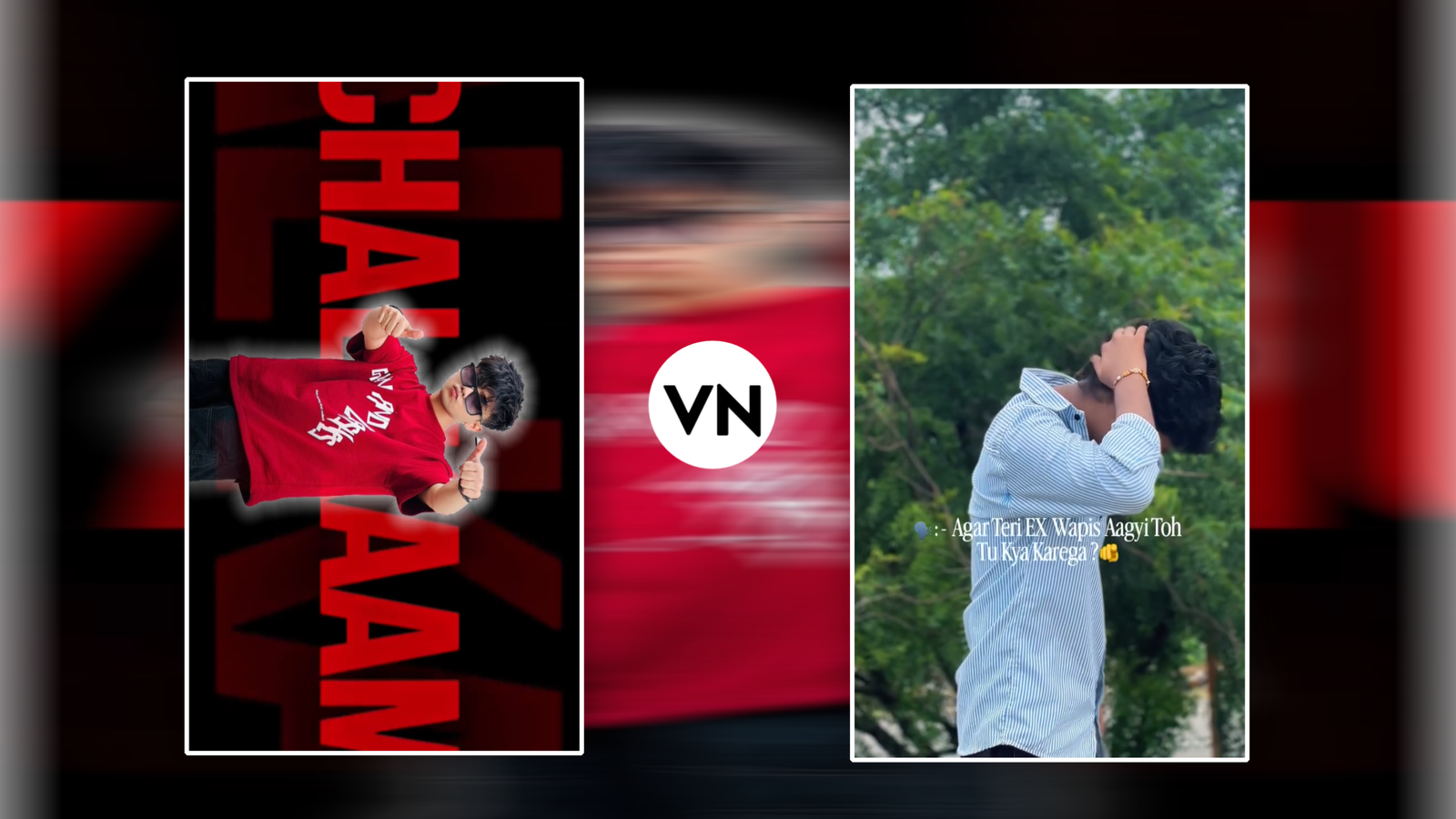
SCREENSHOT👇
Aapne best trending template dhoondh liya aur perfect edit kar liya, lekin upload karte hi video blur ho gayi? Yeh common export problem hai jise prevent kiya ja sakta hai.
VN se render karte waqt auto settings par export mat karein. Manual settings use karein:
- .Resolution: 1080p (Full HD) select karein. 4K vertical upload karne par social apps use aggressive compression algorithm se compress kar dete hain, jisse quality degrade ho jaati hai.
- Frame Rate: Agar footage slow motion mein hai toh 60 FPS, regular footage ke liye 30 FPS lock karein.
- Bitrate: Bitrate ko Auto se hatakar Manual (VBR) karein. Slider ko lagbhag 15 Mbps se 18 Mbps ke beech set karein. Yeh balance clear detail deta hai bina file size unnecessarily bloated kiye.
Conclusion
VN me trending templates kaise find kare, iska secret kisi ek hidden link mein nahi,balki active creator communities, in-app Discover tab, aur smart visual search platform combinations mein hai.
Templates aapke workflow ko 10x fast bana dete hain, lekin yaad rahe ki template sirf ek blueprint hai. Asli engagement aapke storytelling, shot framing aur unique colour grading se banti hai. Aaj hi bataye gaye steps use karke latest codes scan karein, apna personal touch add karein, aur consistent editing practice se apne reach ko scale karein.
FAQs
Q1: Kya VN templates use karne se copyright strike aa sakti hai?
SCREENSHOT👇
Nahi, templates safe hote hain. Lekin unke sath aane wale audio track ko check karein. Commercial use ke liye platform ke native trending audio library se sound sync karna hamesha safe rehta hai.
Q2: VN QR code scan karne par “Invalid Code” kyun dikhta hai?
Yeh issue tab hota hai jab QR code ki photo distorted ho, ya template creator ne cloud server se original project file delete kar di ho. Hamesha high-resolution screenshot scan
karein.